How to verify your purchase
Verify your order to receive support for the eelDev products you own.
Find and send your order ID
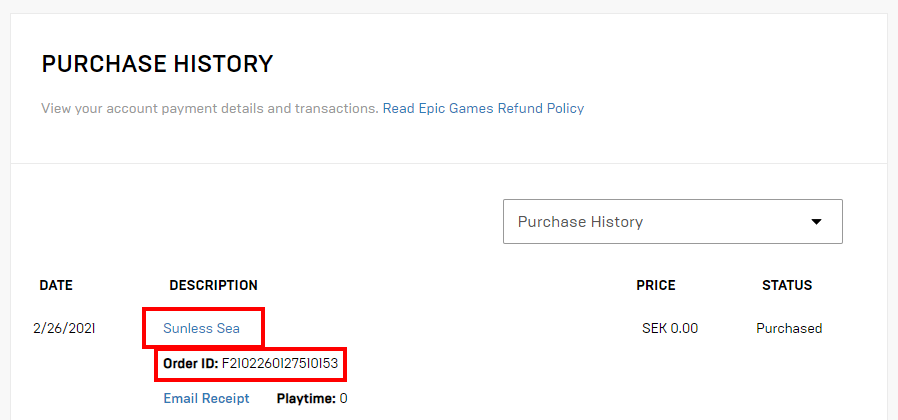
- Open your Epic Games transaction history.
- Select the product description to expand the purchase details.
- Copy the order ID and email it to support@eeldev.com. Include your Discord username if you want access to the private support channels for your products.
Confirmation
You’ll receive a confirmation email after verification. Requests sent outside support hours or over the weekend take longer. If you included your Discord details, you’ll also receive the roles for your products.