GENERAL
- Requires Unreal Engine 5.4 or newer. Unreal Engine 4.27 to 5.3 stay on version 1.5.2
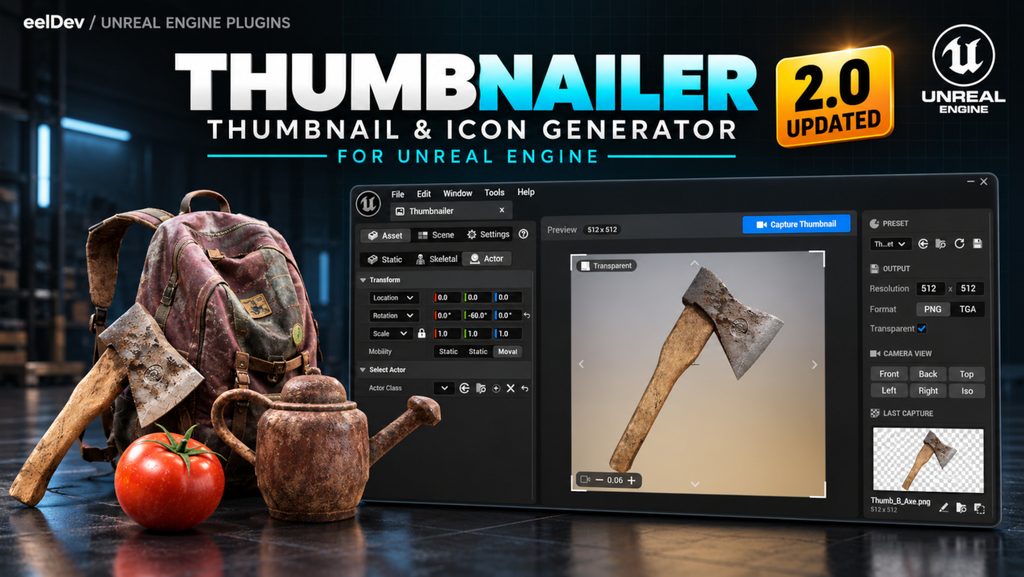
- Redesigned Thumbnailer window with Asset, Scene and Settings panels
- Asset type tabs for static meshes, skeletal meshes and actors
- Camera view presets: Front, Back, Left, Right, Top and Iso
- The active camera view is highlighted in the right panel
- Default camera view is now Iso
- Camera bookmarks, up to ten camera positions saved on the number keys
- Orthographic camera now uses a real orthographic view instead of a narrow field of view
- Thumbnail Resolution and File Extension can be set under Output in the right panel
- Added TGA output
- Improved asset framing
- Click the Last Capture image to open a larger preview
- Settings are now saved between editor sessions
- Camera speed controls use the Unreal Engine 5.7+ camera speed settings
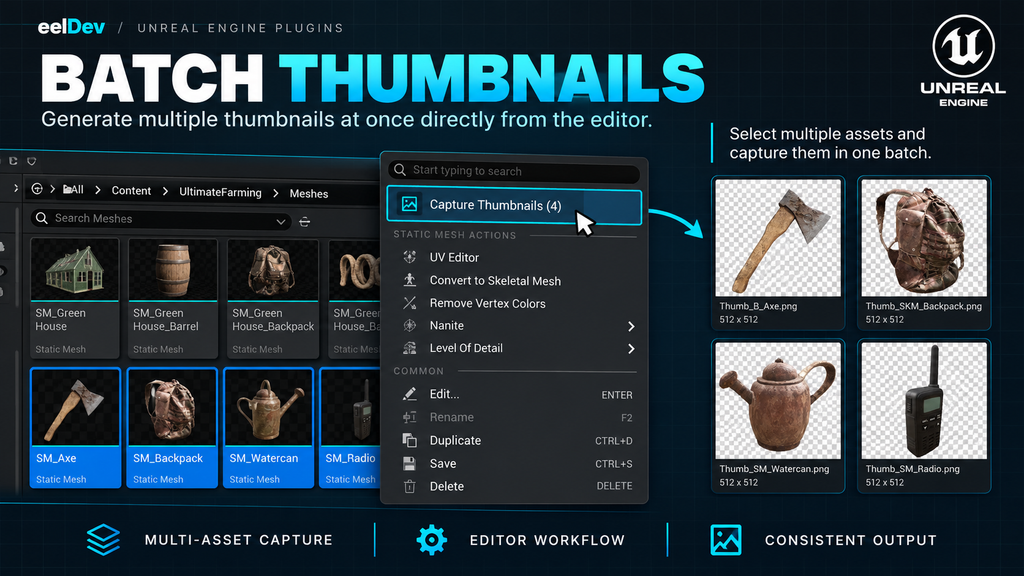
- Batch capture, select several assets in the Content Browser and select Capture Thumbnails (N)
- Right-click one or more folders and select Capture Thumbnails to capture every static mesh, skeletal mesh and actor Blueprint in them and their subfolders
- Override Thumbnail Name is ignored during a batch
- Added Frame Each Asset, frames every asset in a batch from the current camera rotation, or keeps the camera location so all assets are captured at the same scale
- Presets, save the settings, camera and scene profile as a Thumbnailer Preset asset that can be shared with your team through source control
- Preset section in the right panel to pick, apply again and save presets
- The last selected preset is remembered between editor sessions
BUG FIXES
- Fixed the first transparent capture getting a semi transparent background
- Fixed transparent captures with the orthographic camera
- Fixed actor thumbnails being named after the actor instance instead of the Blueprint
- Fixed the asset type falling back to a previously used type
- Fixed crashes when calculating the bounds of an asset
- Fixed invalid characters in thumbnail names
- Fixed the overwrite dialog, notifications and Content Browser highlight
- Fixed imported thumbnails missing the 2D Pixels (unfiltered) and no mipmaps settings
- Fixed the crosshair and frame colors changing the editor’s global style
- Fixed the C key not being consumed by the preview